
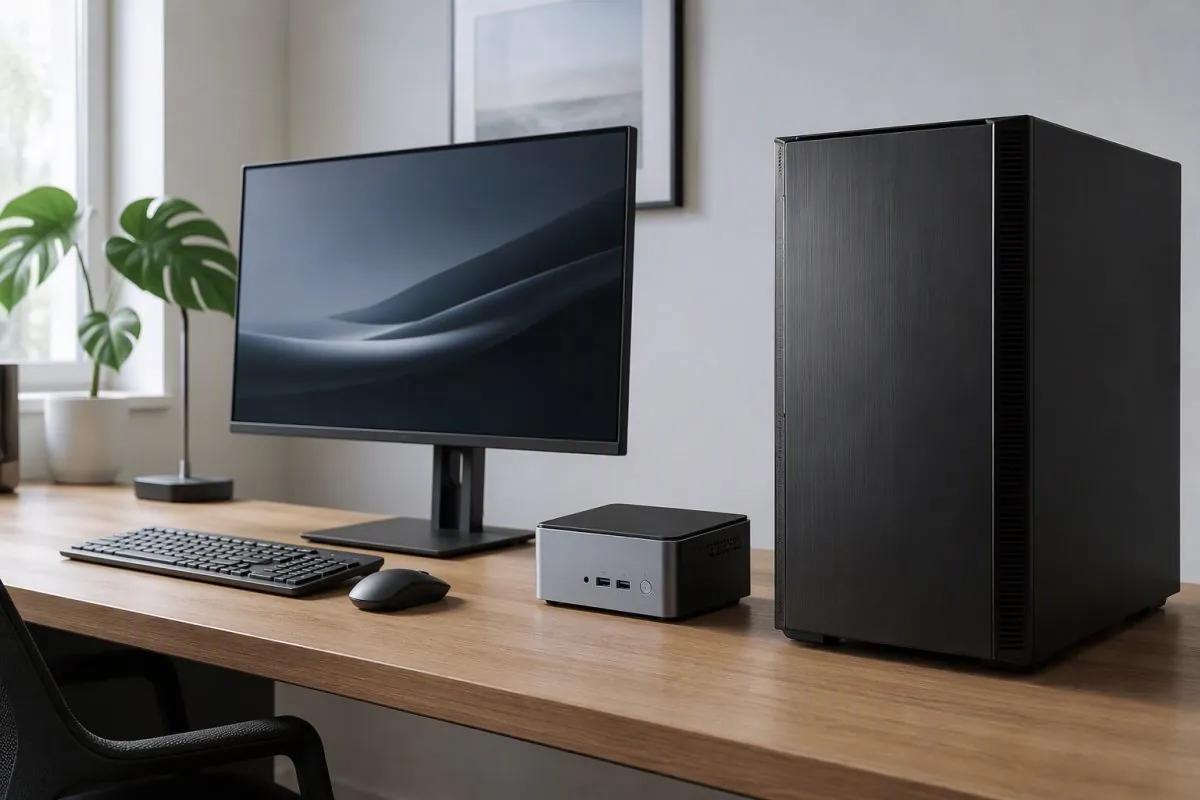
The Big Question: Mini PC or Desktop?
When it’s time to replace a computer, many buyers end up comparing two very different devices: a traditional desktop tower and a mini PC. Both can handle everyday work, but they are built around different priorities. This guide compares them honestly – performance, space, upgradeability, and cost – so you can pick the machine that actually fits your desk and your workload.
What Is a Mini PC?
A mini PC packs the components of a desktop into a chassis that is often small enough to mount behind a monitor. Modern models use the same generation of processors you find in laptops and desktops, and many support fast NVMe storage and plenty of RAM. For office work, browsing, media playback, and light creative tasks, a well-configured mini PC feels indistinguishable from a full tower – just with a much smaller footprint.
Performance: Equal Where It Matters
For most everyday tasks, the performance gap between a mini PC and a desktop computer has nearly disappeared. Both run the same operating systems and applications, and a mini PC with a current-generation processor and 16GB of RAM handles spreadsheets, video calls, and multitasking smoothly. The differences only show up in heavy workloads: sustained video rendering, large datasets, or serious gaming, where a full-size desktop can fit larger cooling and more powerful graphics cards.
Gaming and Graphics
If gaming is the priority, a traditional desktop remains the safer bet. Full towers accept standard graphics cards, bigger power supplies, and better airflow, which translates to higher frame rates and quieter operation under load. Mini PCs with dedicated graphics exist, but they run hotter and cost more for the same level of performance. For office and general use, however, integrated graphics in modern processors are more than capable.
Space, Power, and Noise
This is where mini PCs shine. They take up a fraction of the desk space, sip less power, and run much quieter than a typical tower. For small offices, shared desks, digital signage, and home setups where space is tight, that difference is decisive. You can even mount most mini PCs behind a monitor with a VESA bracket, leaving the desk completely clear.
Upgradeability: The Desktop’s Home Court
Full-size desktops win on expandability. Most towers let you add RAM, swap storage, and change graphics cards for years. Mini PCs are more limited: many models allow RAM and storage upgrades, but the chassis size means fewer slots and no standard expansion cards. If you plan to keep a machine for five or more years and upgrade it along the way, a tower gives you more headroom.
Cost and Total Value
At similar specifications, mini PCs can actually cost more than entry-level towers because compact engineering is harder to manufacture. But the comparison is not apples to apples: a mini PC includes Wi-Fi and Bluetooth in a tiny package, while a tower often needs peripherals and more desk space. For businesses, the lower power draw and smaller footprint add up across a whole fleet.
Who Should Buy What
- Choose a mini PC if: your work is office-based, space is limited, you value silence and low power use, or you need many machines for a business.
- Choose a desktop if: you game seriously, do heavy rendering or data work, or want the freedom to upgrade components over time.
- Choose a laptop if: you work from multiple locations – neither a tower nor a mini PC replaces the portability of a laptop.
Buying in Bulk for Businesses
Businesses replacing office equipment often standardize on one form factor. Mini PCs are a strong choice for bulk office deployments because they are compact, easy to mount, and energy-efficient. If you are outfitting a team or planning a reseller order, compare total cost per seat – including power, space, and setup time – rather than the sticker price alone.
Neither category is objectively better; they are solutions to different problems. Measure your desk, list your heaviest tasks, and decide what matters more: a clean, quiet workspace or the freedom to keep upgrading. Either way, choosing the right machine today saves you from replacing it too soon.
