
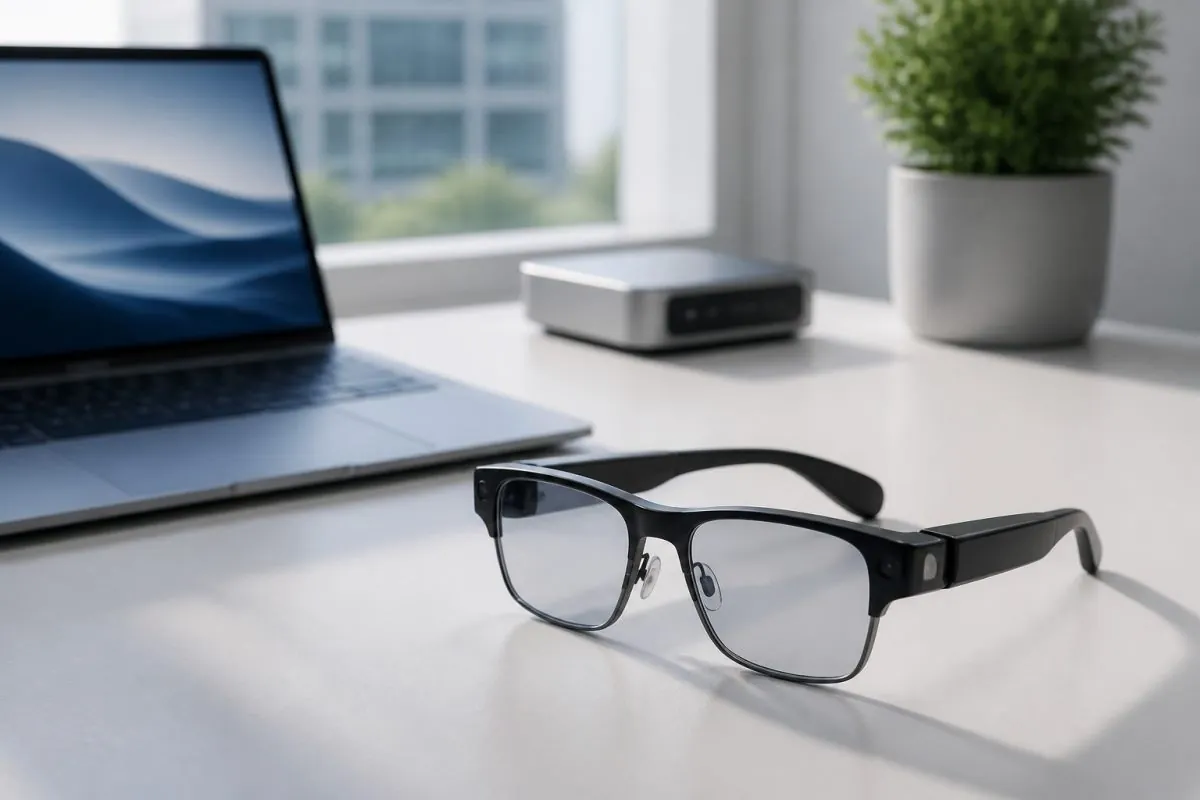
Why AI Glasses Are Worth Your Attention
AI glasses have moved from concept videos to shelves, and they are no longer a curiosity. These lightweight wearables combine cameras, microphones, and on-device intelligence to translate speech in real time, capture hands-free video, and surface notifications without pulling out a phone. For consumers, they are a convenience; for wholesalers and retailers, they are one of the fastest-growing categories in consumer electronics. This guide explains what to look for so you can choose the right pair, whether you are buying for yourself or building a product lineup.
Display or No Display: The First Big Choice
The most important decision is whether the glasses include a built-in display. Display models project information into your field of view, showing navigation directions, translations, or message previews. They are more immersive, but they cost more, weigh slightly more, and drain battery faster. No-display models focus on audio and voice interaction: they answer questions through speakers or bone-conduction audio, record video on command, and translate conversations through earbuds. For everyday use and lower price points, no-display AI glasses are often the smarter first purchase.
Think about how the glasses will be used before choosing. Travelers and business users benefit most from a display for navigation and live translation. Content creators and event staff tend to prefer no-display models with good cameras, because they want hands-free recording without a screen cluttering their vision.
Camera Quality and Field of View
If the glasses have a camera, its quality determines how useful the device actually is. Look for a sensor that handles low light reasonably well, because indoor events and evening scenes are where hands-free capture shines. Also check the field of view: a wider angle captures what you actually see instead of a narrow strip of it. Stabilization matters too. A model with good electronic stabilization produces watchable footage even while you walk, which makes the difference between a usable product and a gimmick.
Battery Life and Charging Habits
AI glasses are small devices with big ambitions, and battery life is their natural constraint. Expect anywhere from a few hours of continuous use to a full day with light interaction, depending on the model and features. Pay attention to the charging case, the same way you would for earbuds. A case that tops up the glasses two or three times extends practical use to a full workday, which is exactly what field workers, guides, and travelers need. When you compare models, compare total battery including the case, not just the headline hours on the glasses themselves.
Privacy and Data: A Question Every Buyer Asks
Because AI glasses include microphones and cameras, privacy is the first concern most people raise. Responsible manufacturers address this with visible recording indicators, physical privacy switches that disable the camera, and clear data-handling policies. As a buyer, check whether the recording light is easy for others to see, whether the camera can be physically blocked, and where audio and video data are processed, on the device or in the cloud. These details are not just compliance boxes; they are the features that make the product acceptable in public spaces and workplaces.
Fit, Weight, and Everyday Comfort
No matter how advanced the electronics are, glasses that are uncomfortable will end up in a drawer. Try the fit before committing: the frame should sit evenly on the nose and behind the ears without pressure points, and the weight should stay under roughly 50 grams for all-day wear. Adjustable nose pads and multiple frame sizes matter more than most spec sheets suggest. For businesses ordering in volume, offering two sizes and a couple of frame colors covers a far wider range of customers than a single one-size option.
Pairing with Your Laptop and Mini PC Ecosystem
AI glasses are not meant to work alone. Most pairs connect to a companion app, and the experience improves when they work alongside the devices you already own. On a laptop, the glasses can take over camera duties for video calls, giving you a stable, hands-free angle during online meetings. With a mini PC, they can display notifications or control media playback while you work on the big screen, keeping your hands free for other tasks. When you are evaluating a model, ask whether the companion software supports Windows laptops and mini PCs, not just phones. An AI glasses model that syncs cleanly across a phone, a laptop, and a mini PC is dramatically easier to sell, because it fits into setups customers already have.
What to Ask a Wholesale Supplier
If you are sourcing AI glasses for resale, the product quality matters less than the questions you ask before ordering:
- What is the real battery life in hours, including the charging case?
- Does the companion app support Windows laptop and mini PC systems, or phones only?
- Is the firmware updatable, and are updates delivered regularly?
- What is the warranty, and how are defective units replaced?
- Can packaging, frame color, or app branding be customized for your market?
A supplier that answers these clearly is a partner you can build a line around. One that hesitates on warranty and firmware is a risk you do not need.
Conclusion
AI glasses are the category to watch in consumer electronics: practical, wearable, and increasingly affordable. Start with the display decision, check the camera and battery honestly, take privacy seriously, and make sure the pair you choose plays well with your laptop and mini PC. Do those four things and the glasses you pick will earn their place, on your face and on your shelf.
